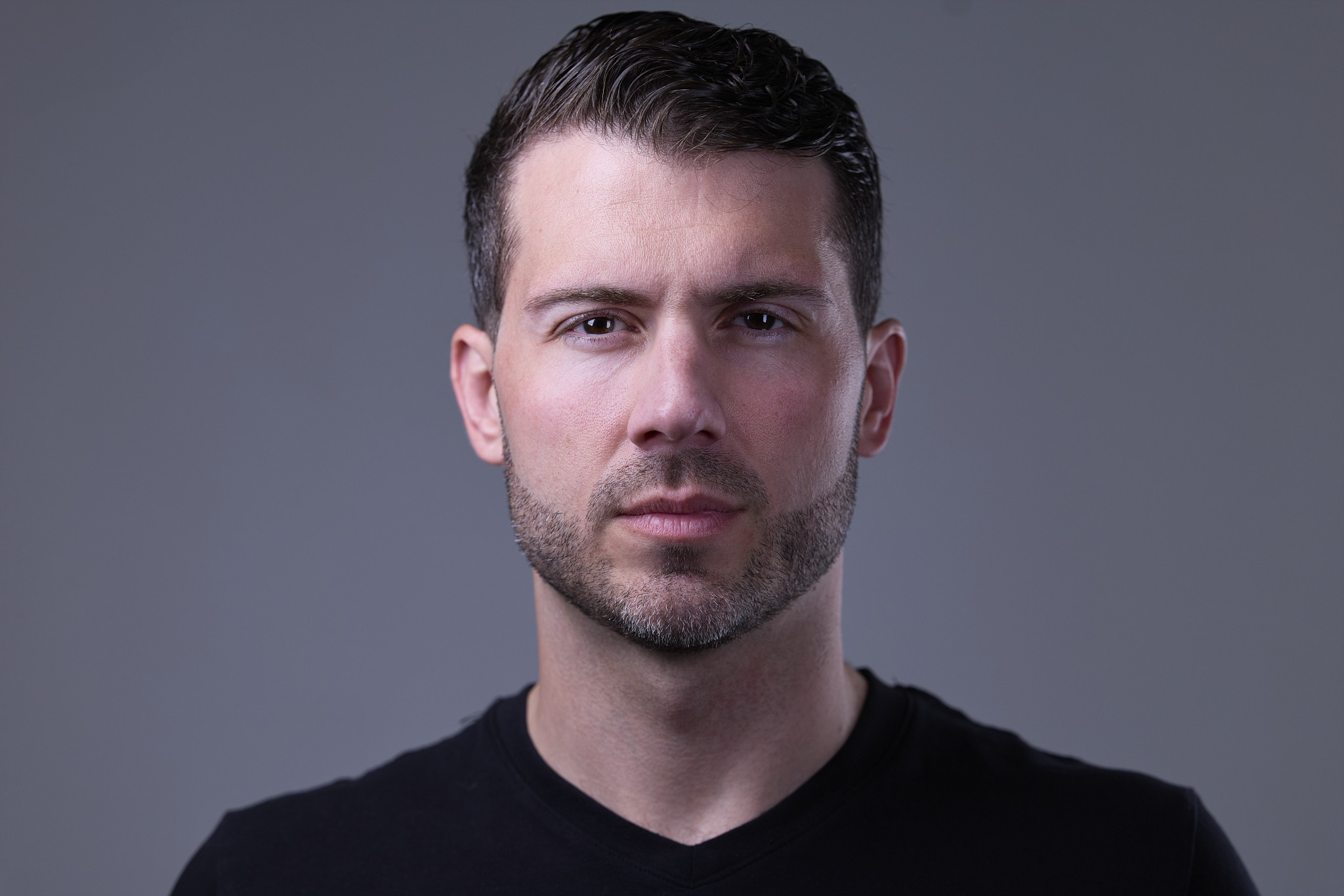
Team Headshots Takeaways at a Glance
- Rob Faber Photography is a Peter Hurley trained headshot photographer serving professionals and teams across Northern Connecticut and Western Massachusetts, including Suffield, Simsbury, West Hartford, and Glastonbury.
- Great team headshots are decided before anyone sits down in front of the camera. The planning is what makes twenty separate portraits look like one company.
- Start with where the images will live, then lock in a single look: one lighting setup, one background, one crop, for everyone from the founder to the newest hire.
- Clear communication with your team, a realistic schedule, and simple wardrobe guidance turn photo day from a disruption into something people actually enjoy.
If you have ever scrolled a company’s “Meet the Team” page and noticed that every photo seems to come from a different decade, a different office, and a different phone, you already understand why team headshots need a plan. One person is on a white wall, another is cropped from a wedding, a third is standing in front of a bookshelf. Each photo might be fine on its own. Together, they quietly tell clients that nobody is steering the ship.
Planning team headshots is not complicated, but it does take a few deliberate decisions made in the right order. I photograph individuals and full teams across Connecticut and Massachusetts, and the sessions that go most smoothly are almost always the ones where we sorted out the details ahead of time. Here is how I walk companies through it, step by step.
Step 1: Decide Where Your Team Headshots Will Live
Before we talk about backgrounds or schedules, I want to know where these images are going. The answer shapes almost every other choice.
Most team headshots end up in some combination of these places:
- The team or leadership page on your website
- Individual LinkedIn profiles
- Email signatures and internal directories
- Proposals, pitch decks, and client-facing documents
- Press releases, speaker bios, and event programs
A website grid needs consistent framing so every face sits at the same size and height. A LinkedIn profile needs a crop that still reads clearly as a tiny circle. A proposal might call for a slightly wider frame that a designer can work with. When I know the destinations up front, I can plan framing that serves all of them instead of forcing one crop to do every job.
I teach business and marketing by day, and this is the same question I ask students about any brand asset: who is going to see it, and what should they feel? Your team page is often the first place a prospective client goes right before a discovery call. It is worth planning on purpose.
Step 2: Choose One Look and Commit to It
The single most important rule for team headshots is consistency. Every person should be photographed with the same light, the same background, the same distance, and the same general framing. That is what makes a group of individuals read as a unified, organized firm.
That means choosing a look before photo day, not during it.
Light or Dark Background
A clean white or light gray background feels modern, open, and corporate. It drops easily into most website designs and works well for firms that want a bright, approachable feel.
A dark background feels more editorial and premium. My Back in Black studio style uses rich shadows and soft directional light against a dark backdrop for a cinematic look that tends to suit executives, advisors, and companies that want to stand apart from the sea of white backgrounds. If you are not sure which direction fits your industry, my guide to corporate vs. creative headshot styles walks through how different fields tend to land.
Lighting Built Once, Used for Everyone
Whatever background you choose, the lighting needs to stay locked. I build a key, fill, and kick setup that shapes the face, separates each person from the background, and gives the image dimension. Once that setup is dialed in, it stays put for the entire session. Small adjustments for height or glasses are fine. Changing the overall look halfway through the day is not.
Framing and Crop
Decide together how tight the crop should be. A head-and-shoulders crop is the most common for team pages because it stays readable at small sizes and keeps the grid clean. I photograph everyone at the same distance and framing so the final set lines up without awkward resizing later.
Step 3: Plan the Logistics of Photo Day
Once the look is set, the practical side of team headshots comes down to space, time, and people.
Studio or On-Site
Some teams come to my studio. Others prefer that I bring the setup to their office so nobody has to leave the building. Both work. On-site sessions need a room with enough space for lights and a backdrop, ideally somewhere with a door that closes so people are not being photographed while coworkers walk by. I will talk through the room with you ahead of time so there are no surprises.
Build a Schedule That Respects Calendars
The best team headshot days run on a simple sign-up schedule. Each person gets a time slot, which keeps the line short, protects meeting schedules, and gives everyone a real window to settle in rather than a rushed thirty seconds. I would much rather have a calm, steady pace than a crowd of people waiting in a hallway.
Build in a little buffer for the people who will inevitably run late from a client call, and plan a make-up option for anyone who is out sick or traveling that day.
Name a Point Person
Every successful team session I have photographed had one person on the company side who owned the details: sending the schedule, answering questions, tracking who still needs a slot, and confirming who will appear on the website. That single point of contact keeps everything moving and keeps me from guessing.
Step 4: Communicate With Your Team Early
How you announce team headshots matters more than most companies expect. Some people will be excited. Others would rather do almost anything else.
Give your team a heads-up at least a week or two in advance, along with a few simple notes:
- Why you are doing it. “We are updating the website and want everyone to look consistent” lands better than “mandatory photo day.”
- When their slot is. Nobody wants to learn about their headshot the morning of.
- What to wear. More on that below.
- What to expect. Let people know they will be coached the whole way through and will see their photos on screen as we go.
That last point goes a long way for camera-shy employees. I shoot tethered, the same way we worked at Peter Hurley’s Headshot Intensive in Cambridge, Massachusetts, so every frame appears on a large screen moments after I take it. People are not left wondering what the camera captured. They watch the image improve as we adjust posture, the forward-and-down jaw, and Peter’s Squinch, and confidence tends to follow. If you know someone on your team is dreading it, feel free to share my guide for people who hate having their picture taken.
Step 5: Give Simple, Coordinated Wardrobe Guidance
Wardrobe is where team headshots can either come together or drift apart. You do not need matching outfits, but you do want everyone in the same general range.
A few guidelines I usually suggest:
- Agree on a level of formality. If half the team wears suits and the other half wears hoodies, the page will look like two different companies. Pick a standard that fits your culture and your clients.
- Favor solid colors. Busy patterns, large logos, and very bright colors pull attention away from faces and break up the visual rhythm of a grid.
- Coordinate tones with your background. Mid-tones and deeper colors photograph beautifully on most backgrounds. On a dark backdrop, a little contrast near the face helps people stand out.
- Bring a backup. One extra top gives us options if something does not work on camera.
For more detail you can pass along to your team, my post on what to wear for your professional headshot covers it in depth.
Step 6: Plan for the People Who Are Not Here Yet
This is the step most companies forget. Your team will grow. People will be promoted, new hires will join, and someone will eventually need a replacement photo.
When your team headshots follow a defined look, with the same background, lighting setup, and framing, adding new people later becomes far easier. I keep notes on your setup so future sessions can match the original set as closely as possible. That way, the person who joins two years from now still fits on the same page as everyone else, instead of becoming the one photo that does not match.
Step 7: Selection, Retouching, and Delivery
After photo day, decide how images will be chosen. Some companies let each person pick their favorite. Others prefer that a manager or marketing lead makes the final call for consistency. Either approach works, as long as it is decided in advance.
My retouching happens in Lightroom, and it is deliberately light-handed. I clean up temporary distractions like stray hairs, small blemishes, or lint on a jacket. I do not reshape features or smooth skin until it looks artificial. For a team, that restraint matters even more. Clients meet your people on video calls and in conference rooms, and every person should be instantly recognizable from their photo.
Finally, think about how files should be named and organized so your web team and HR can find the right image quickly. A little structure here saves a lot of searching later.
Why Planning Team Headshots Pays Off
A well-planned team session does more than produce nice photos. It tells clients that your firm pays attention to details, that your people are real and approachable, and that the company has its act together. It also gives every employee a strong, current headshot they can use on LinkedIn, which is a meaningful benefit on its own. One of my clients, Brian, updated his LinkedIn profile with his new headshot and landed a new job about a month later. A photo never earns anyone a role by itself, but it makes sure the first impression is working in their favor.
When your team headshots are planned with care, everyone wins: the company, the clients who browse the page, and the people in the photos.
Frequently Asked Questions
How far in advance should we plan team headshots?
Give yourself a few weeks if you can. That leaves time to choose a look, settle on a location, build a sign-up schedule, and give your team at least a week or two of notice with wardrobe guidance.
Should everyone on the team wear the same thing?
No, but everyone should be in the same general range. Agree on a level of formality, encourage solid colors, and avoid busy patterns and logos. Coordinated, not identical, is the goal.
What if some team members are not available on photo day?
Plan for it from the start. A defined lighting setup, background, and framing make it possible to photograph people at a later date and still match the original set, whether they missed the day or joined the company afterward.
Can you come to our office for team headshots?
Yes. I can photograph teams in my studio or bring the setup to your office. For on-site sessions, I will talk through the space with you ahead of time to make sure there is room for lights and a backdrop, ideally somewhere private.
Do you photograph teams in CT and MA?
Yes. I photograph individual professionals and full teams throughout Northern Connecticut and Western Massachusetts, including Suffield, Simsbury, West Hartford, and Glastonbury. Every team member gets individual coaching, along with consistent lighting, background, and framing across the group.
How do I book team headshots?
Fill out my contact form, and I will send over more information. Let me know roughly how many people are on your team, where the images will be used, and whether you are thinking studio or on-site, and we will plan from there.
Your Team, One Consistent Story
Team headshots work best when they are treated like any other brand decision: planned around where they will be seen, built on a single consistent look, and executed with care for every person in front of the camera. Do the planning, and photo day becomes the easy part.
If you are ready to give your team a set of portraits that look like they belong together, explore my professional headshot sessions, then reach out through my contact form to start the conversation. For a closer look at what makes each individual portrait work, read the anatomy of a great corporate headshot, and if LinkedIn is where your team’s images will work hardest, my headshots for LinkedIn guide is a great next read.
For more behind-the-scenes conversations on portraits, branding, and business, subscribe to the Shoot for Succession podcast, available on all major podcast platforms.