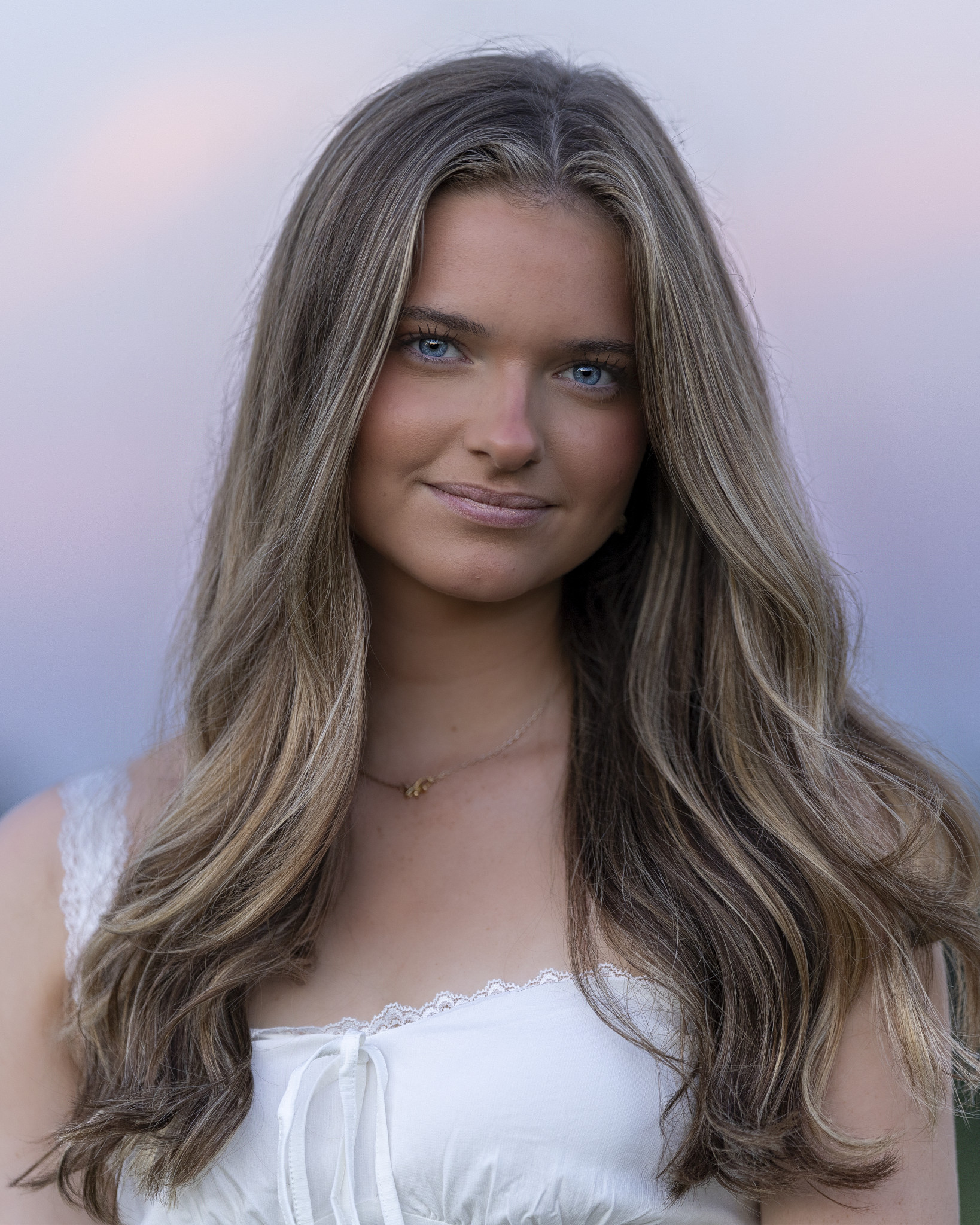
Professional Headshot Uses at a Glance
- Rob Faber Photography is a Peter Hurley trained headshot photographer serving professionals and teams across Northern Connecticut and Western Massachusetts, including Suffield, Simsbury, West Hartford, and Glastonbury.
- Most people book a professional headshot for LinkedIn, then leave it there. That is like buying a suit and wearing it once.
- A single strong session can cover your website, email signature, speaker bios, proposals, press, print, and every profile where people decide whether to trust you.
- Planning for those uses before the session, with the right crops, orientations, and looks, is how you get the most out of every frame.
Most people book a professional headshot with one place in mind. Usually it is LinkedIn. The images arrive, the profile gets updated, and the rest of the files sit in a download folder for the next three years. Meanwhile, an old phone photo is still living on the company website, a cropped wedding picture is still in the conference program, and the email signature has no face at all.
Here is the thing. Your professional headshot is not a single-use image. It is a brand asset, and it works best when it shows up consistently everywhere people meet you. I teach business and marketing, and one of the first lessons in any branding unit is that recognition comes from repetition. The same is true for your face. Below are twelve places your headshot should be working for you, plus how we plan a session so you have the right image for each one.
Why One Professional Headshot Should Work Everywhere
When your image matches across every platform, people recognize you faster. They see you on LinkedIn, then on your website, then at the top of a proposal, and each time the impression gets a little stronger. When every platform shows a different photo from a different year, that recognition never builds.
Consistency also signals care. A current, polished professional headshot used across the board tells people you pay attention to details. That is a quiet message, but it is one clients, recruiters, and partners pick up on.
1. LinkedIn, Still the Starting Point
LinkedIn earns the top spot because your photo travels with every post, comment, connection request, and message you send. It is the most repeated image of you online. I covered this in depth in my headshots for LinkedIn guide, but the short version is this: tight crop, clean light, and an expression that reads as confident and approachable at thumbnail size.
It also pays off. My client Brian updated his LinkedIn profile with the headshot from our session, and one month later he landed a new job. His skill and experience earned that role. His headshot made sure the first impression matched the professional behind it.
2. Your Website’s About Page and Team Page
Your website is where interested people go to decide. The About page is often one of the most visited pages on a small business site, and visitors want to see the person they will be working with.
For companies, the team page carries even more weight. A grid of matching portraits, same light, same background, same framing, makes a firm look unified and organized. A patchwork of phone photos does the opposite. If you are planning headshots for a full team, consistency should be part of the conversation from the start.
3. Your Email Signature
This one is easy to overlook and quietly powerful. You likely send more emails than any other type of communication. A small professional headshot in your signature puts a face to every message, which makes cold outreach feel warmer and follow-ups feel more personal. It is a small touch that turns a name into a person.
4. Speaker Bios and Conference Programs
If you speak, present, or sit on panels, event organizers will ask for a headshot and a bio, usually on a tight deadline. Having a high-resolution image ready to send means you never scramble, and you never end up represented by whatever photo someone found online. Conference programs, event websites, and promotional graphics all pull from the image you provide, so it should be your best one.
5. Proposals, Pitch Decks, and Capability Statements
People buy from people. When your proposal includes a professional headshot alongside your bio or team page, the decision maker knows exactly who they are hiring. In competitive bids, that human connection can be the detail that sets you apart from a firm that sent only text and logos.
When a local paper, trade publication, or blog features you or your business, they will need a photo. A press-ready professional headshot makes it easy for editors to say yes and ensures the story looks polished in print and online. Keep a high-resolution file and a short bio together in one folder, and you will have a simple press kit ready whenever opportunity knocks.
7. Podcasts, Webinars, and Video Thumbnails
Podcast guest appearances, webinar promotions, and YouTube thumbnails all need a strong image of you, often cut out and placed into a graphic. This is where a clean background really helps. Designers can separate you from it easily and drop you into show art or promotional posts without fighting a busy setting.
8. Zoom, Teams, Slack, and Every Internal Profile
Your camera will not always be on, and when it is off, your profile photo fills the square. The same goes for Slack, Microsoft Teams, Google Workspace, and every internal directory your company uses. These are small images, but they are seen every day by the people you work with most. A current headshot keeps you recognizable, especially on remote and hybrid teams where colleagues may rarely see you in person.
9. Google Business Profile and Online Directories
For service-based businesses, your Google Business Profile, industry directories, and professional association listings are often the first impression a new client gets. Adding a professional headshot to those listings gives searchers a face to connect with, which builds trust before they ever call.
Instagram, Facebook, X, and other platforms each have their own audience and tone. Some professionals use the same headshot everywhere for instant recognition. Others use a classic corporate frame for LinkedIn and a more expressive portrait for Instagram. Both strategies can work. If you are unsure which direction fits you, my guide to corporate vs. creative headshot styles walks through the decision.
11. Business Cards, Print Marketing, and Signage
Print still matters in many industries. Real estate agents, financial advisors, attorneys, and consultants often put their faces on business cards, mailers, brochures, and signs. Print is unforgiving, though. A file that looks fine on a phone can fall apart when it is enlarged. A professionally lit, high-resolution headshot holds up at any size.
12. Books, Awards, and Board Bios
Author bios on book jackets, award nominations, board of directors pages, and nonprofit leadership listings all call for a portrait that carries a little more weight. These are the moments when you are being introduced as an authority, and the image should match the occasion. For some clients, that means a more editorial look, like my Back in Black studio style with rich shadows and soft directional light.
How to Plan Your Session So the Images Work Everywhere
The best way to get the most from your professional headshot is to tell your photographer where the images will live before you step in front of the camera. That changes how we shoot.
Get More Than One Crop
A tight crop reads clearly on LinkedIn and in an email signature. A slightly wider frame gives designers room to work on a website banner, a speaker graphic, or a press feature. Capturing both during the session means you are never forced to stretch one image across every use.
Think Horizontal and Vertical
Some placements want a vertical portrait, like a bio page or a book jacket. Others want a horizontal frame with space to one side for text, like a website header or a webinar promo. Planning for both saves you from awkward crops later.
Consider Two Looks
Many clients leave with a classic, approachable frame and a second look with more mood or personality. One covers the corporate uses. The other covers the places where your personality is part of what people are buying.
Keep the Right Files Ready
Store your high-resolution files somewhere easy to reach, along with a smaller web-ready version. When an event organizer or editor asks for a photo, you can send it in seconds.
Use the Same Image Everywhere at Once
When your new images arrive, update every platform in one sitting. LinkedIn, website, email signature, internal profiles, directories, and social accounts. A half-updated presence sends mixed signals. A fully updated one makes the investment pay off immediately.
Frequently Asked Questions
Where should I use my professional headshot?
Anywhere people decide whether to trust you. That includes LinkedIn, your website, your email signature, speaker bios, proposals, press features, video calls, online directories, social media, and print marketing. Using the same image across all of them builds recognition.
For most professionals, yes, at least for the main platforms. Consistency helps people recognize you instantly. Some clients choose a second, more expressive portrait for creative or personal channels, and that works well too.
Can one headshot session cover all of these uses?
Yes. When we plan for your uses ahead of time, we can capture tight and wide crops, vertical and horizontal frames, and more than one look in a single session, so you leave with images for every placement.
How often should I update my professional headshot?
Every couple of years is a good rule, or sooner if your appearance, role, or personal brand changes. Your photo should look like the person who shows up to the meeting.
Do you photograph headshots for teams in CT and MA?
Yes. I photograph individual professionals and full teams throughout Northern Connecticut and Western Massachusetts, including Suffield, Simsbury, West Hartford, and Glastonbury. For teams, I keep lighting, background, and framing consistent from the first person to the last.
How do I book a headshot session?
Fill out my contact form, and I will send over more information. From there, we will talk through where your images will be used and plan a session around it.
Put Your Professional Headshot to Work
A professional headshot is one of the few marketing assets that works for you in every room you are not in. When it shows up consistently, on your profile, your website, your proposals, and your press, it builds trust long before the first conversation. The session is one afternoon. The image works for years.
If your current photo is only living on LinkedIn, or not living anywhere at all, let’s change that. Explore my professional headshot sessions, then reach out through my contact form to start the conversation. Still deciding what you need?
For more behind-the-scenes conversations on portraits, branding, and business, subscribe to the Shoot for Succession podcast, available on all major podcast platforms.